

By Alex Morgan
PC Hardware Reviewer
Alex Morgan is a PC hardware reviewer and technology journalist who focuses on computer peripherals and daily electronics. He helps readers grasp the real differences between keyboards, mouse, displays, and other PC accessories by focusing on usability, comfort, functionality, and value rather than just specifications. His writing is intended to make technology comparisons easier for average consumers, whether they are creating a gaming setup or simply selecting better equipment for work and home.
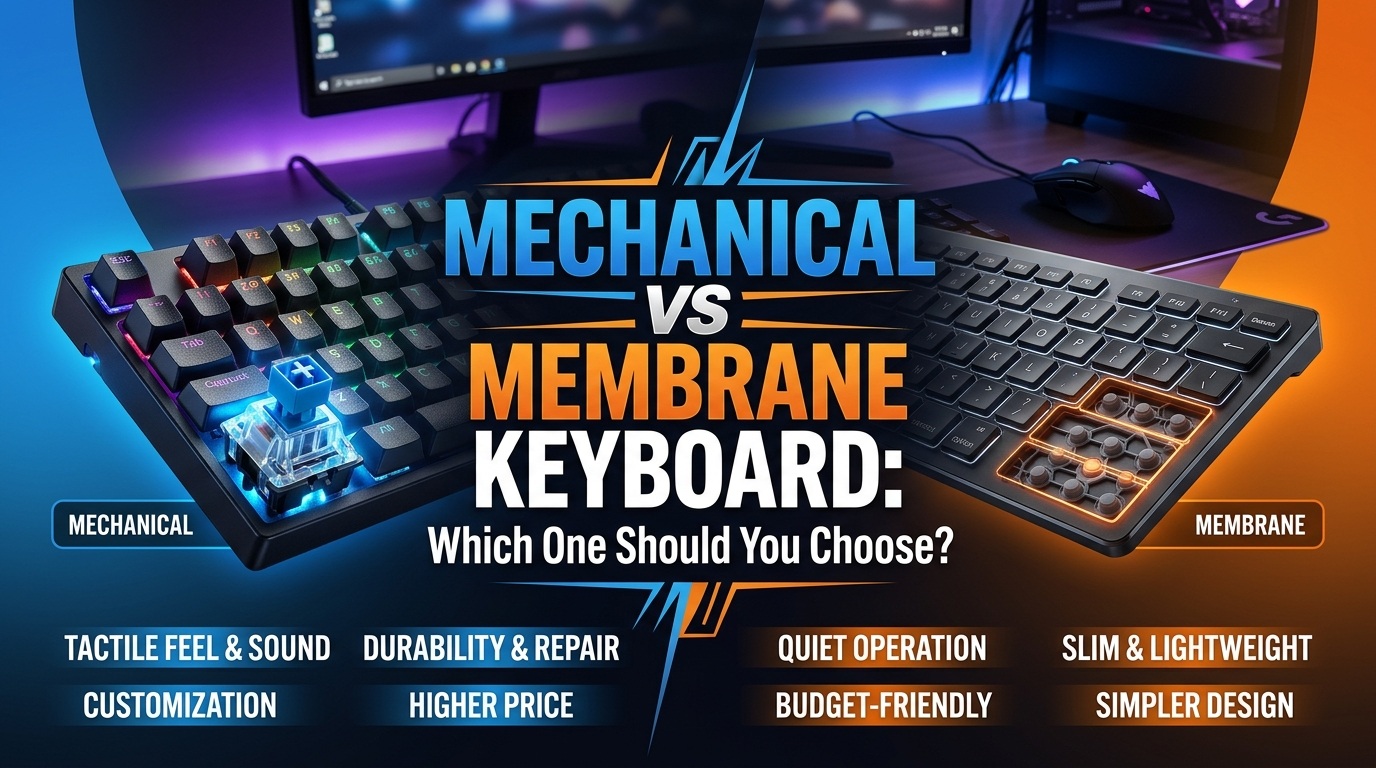
Assume you are replacing an old keyboard after years of use. One solution includes independently moving switches under each key and costs significantly more. The other is thin, silent, and affordable. This is where the mechanical vs membrane keyboard dispute usually begins. The main thing to remember is that neither type is necessarily best for everyone: mechanical keyboards typically provide more switch options, customization, and durability, whereas membrane keyboards can be quieter, lighter, and less expensive. The best option should be based on your typing patterns, gaming needs, workspace, and money.
What Is a Mechanical Keyboard?
A mechanical keyboard has a separate switch underneath each key. Pressing the key moves the switch’s internal components and causes an electrical input to be registered.
The important part is that mechanical keyboards aren’t defined by one particular feel. Mechanical switches come in different designs, commonly described as linear, tactile, or clicky. A linear switch generally moves smoothly, a tactile switch provides a noticeable bump during the key press, and a clicky switch adds an audible click along with its physical feedback.
That variety is one of the biggest reasons enthusiasts choose mechanical keyboards. Instead of accepting one standard key feel, you can choose a switch type that matches the way you prefer to type or play.
What Is a Membrane Keyboard?
A standard membrane keyboard uses a flexible membrane layer and rubber domes under the keys. When a key is pressed it goes down until it makes contact with the conductive layer which in turn completes the electrical connection that registers the input.
This design has done away with individual mechanical switches for each key.
The result is a more gentle and quiet typing experience. Many people report the feel as “mushy” which is a matter of opinion. Some users do prefer membrane keyboards which in turn are quiet, low profile, and what they are used to. Also from recent user reports we see that this preference still stands even among those who have tried out mechanical keyboards.
A membrane keyboard may not be what one wants in all cases, it does however appeal to a different set of requirements.
Mechanical vs Membrane Keyboard: What’s the Real Difference?
The biggest difference isn’t the keycaps, RGB lighting, or appearance.
It is the switch mechanism underneath the keys.
| Feature | Mechanical Keyboard | Membrane Keyboard |
| Key mechanism | Individual mechanical switches | Membrane and rubber-dome system |
| Typing feel | More varied and defined | Generally softer |
| Sound | Varies widely by switch and construction | Usually quieter |
| Durability | Generally higher | Generally lower |
| Customization | Usually much greater | Usually limited |
| Repairability | Some models allow switch/keycap replacement | Usually limited |
| Price | Usually higher, but wide range | Usually lower |
| Gaming | Strong choice, especially for competitive users | Fine for casual gaming |
| Office use | Excellent with suitable switches | Excellent for quiet environments |
| Portability | Often heavier | Often lighter and thinner |
These are general characteristics, not rules for every individual keyboard. A quiet mechanical keyboard can be much quieter than a loud mechanical model, while a high-end membrane keyboard can feel substantially better than a cheap one.
Which Feels Better for Typing?
Mechanical keyboards present a better key response and variety, but what is better is very subjective.
A mechanical keyboard has a choice of switch types. What we see is that who prefers a smooth key press may go for linear switches, but also there are those which require physical feedback on press which will go for tactile switches.
Membrane keyboards tend to have a softer feel which is due to the rubber dome that provides resistance when you press the key. Some people prefer this smoother action, also if they have used laptop or office keyboards for a long time.
There isn’t a rule out there that says mechanical keyboards will increase your speed. What determines your speed is the individual’s layout, how well you know the board, and your technique. Also when you change keyboard types out, you’ll have a period of adaptation before you find which one is best for you.
Which Is Better for Long Typing Sessions?
For persons who type for several hours each day, key feel, keyboard height, layout, and wrist posture can be more important than whether the board is mechanical or membrane.
A mechanical keyboard allows you to customize the feel you prefer, but many versions are very tall. A low-profile membrane keyboard may feel more natural to someone used to laptop keyboards.
The physical shape of the keyboard is also important. A mechanical board with a comfortable layout and an appropriate switch can be ideal for a writer or programmer, whereas another mechanical board may be uncomfortable due to its height, key resistance, or inadequate desk configuration.
Don’t buy a mechanical keyboard just because someone claims it’s better for typing.
If possible, try other switch kinds first before spending a significant amount of money.
Which Is Better for Gaming?
Mechanical keyboards are for the most part the best choice in serious or competitive gaming, but a membrane keyboard does fine for casual play.
Mechanical keyboards present a uniform actuation from switch to switch which in turn are put forward by gaming oriented firmware and features. Also they may support N-key roll over which in turn means that multiple keys are registered at the same time without drop out of input. RTINGS reports that in general mechanical gaming keyboards do better in terms of consistency, roll over, and latency but performance of the keyboard in question does in fact vary.
But don’t mistake keyboard handiness for gaming skill.
A mechanical keyboard doesn’t always equal speed.
If you are a casual Minecraft player, or play into the RPGs, strategy games, and even some first person shooters, a quality membrane keyboard is enough.
Competitive players tend to prefer the uniform feel which is offered by many mechanical boards.
What Is N-Key Rollover?
N-key rollover are also referred to as NKRO is a feature in which a keyboard registers at the same time many key presses and does not drop inputs.
For instance a PC game may require you to hold movement keys at the same time as pressing another key for an action. Keyboard rollover issues may play a role in that.
Also don’t assume that all mechanical keyboards do in fact have the same features for games.
Check out the specs of that model.
Also in the gaming category we see some membrane keyboards that outperform basic office models in terms of rollover and anti-ghosting. The tech category is a start but doesn’t tell the full story of a keyboard’s performance.
Are Mechanical Keyboards Faster?
Not simply because they are mechanical.
This is one of the most repeated claims in keyboard marketing.
Mechanical keyboards can offer a more consistent actuation feel, and many gaming models are designed with low-latency electronics and gaming features. But the actual input latency depends on the entire keyboard design, including the switch technology, controller, firmware, connection method, and scanning behavior.
There is also a newer category of mechanical-style gaming keyboards using technologies such as Hall-effect sensing that can offer adjustable actuation and rapid-trigger features. Those are different from ordinary mechanical switches and should not be used as evidence that every mechanical keyboard is inherently faster than every membrane keyboard.
For normal users, the difference in feel and reliability is usually more meaningful than chasing tiny latency differences.
Which Keyboard Is Quieter?
Membrane keyboards are generally quieter, but mechanical keyboards can also be made relatively quiet.
The biggest factor is the switch type.
Clicky mechanical switches intentionally produce an audible click. Tactile switches usually have a noticeable bump but do not necessarily have the same deliberate click mechanism. Linear switches can be quieter still, particularly when combined with sound-dampening materials and appropriate keycaps.
RTINGS notes that mechanical keyboards can range from quite loud to nearly as quiet as membrane boards depending on the switches and internal dampening.
If you work in a shared office, bedroom, library, or other noise-sensitive space, a quiet membrane keyboard may be the easiest solution.
A silent mechanical keyboard can also work, but you’ll need to choose the hardware carefully.
Which One Lasts Longer?
Mechanical keyboards generally have an advantage in rated switch lifespan.
RTINGS reports that mechanical switches are commonly rated around 50–100 million keystrokes, while many rubber-dome membrane keyboards are rated around 5–10 million keystrokes. These figures are manufacturer-style durability ratings, not guarantees that a keyboard will fail immediately after reaching a particular number. Other components can fail first.
Mechanical keyboards can also offer another advantage: repairability.
Some boards allow you to replace keycaps, stabilizers, and switches. Hot-swappable keyboards make switch replacement easier because compatible switches can be removed without soldering.
A conventional membrane keyboard is generally less modular. If its membrane or rubber dome system develops a serious fault, replacing the entire keyboard is usually more practical.
That does not make every mechanical keyboard more durable overall. Build quality still matters.
Which Is Easier to Clean?
Both of them can be cleaned, also mechanical keyboards are easier to take apart and maintain.
Mechanical keycaps are also a design which you may take off to clean out dust and debris from under them.
Some mechanical keyboards feature a modular design.
Membrane keyboards may be still be cleaned well, also they usually offer you lesser options for disassembly and part replacement.
No matter what type of keyboard you have, prevention is key. Also keep food and drinks far from it when you can, turn the keyboard off before you clean it and always follow the manufacturer’s care instructions.
Never take it for granted that a keyboard is waterproof which has been labeled as spill resistant.
Which Is More Resistant to Spills?
There is no universal winner.
Some membrane designs can provide a degree of resistance to spills because their construction has fewer exposed mechanical switch components. But a standard membrane keyboard should not be treated as waterproof.
Some mechanical keyboards are also designed with spill-resistant features.
The correct question is therefore not:
“Are membrane keyboards waterproof?”
Instead, check the specific keyboard’s ingress or spill-resistance rating and manufacturer instructions.
If you regularly eat and drink at your desk, this feature may be more important than switch technology.
Which Is More Comfortable?
Comfort is one of the areas where blanket recommendations become misleading.
A mechanical keyboard can be more comfortable because you can select a switch that matches your preferred resistance and feedback.
But a membrane keyboard may be more comfortable for someone who prefers low-profile keys and soft presses.
Keyboard height also matters.
Some mechanical boards are tall enough that users may benefit from a wrist rest. Others use low-profile switches and keycaps and sit much closer to the desk.
Your desk height, chair position, wrist angle, typing technique, and keyboard layout can all influence comfort.
Don’t choose the keyboard type first and comfort second. Consider the entire setup.
Which Is Cheaper?
Membrane keyboards are generally less expensive, especially at the basic end of the market.
Their simpler construction makes them common in inexpensive office keyboards and computers.
Mechanical keyboards have become much more accessible than they once were, though. Current comparison research shows that mechanical keyboards range from relatively affordable models to expensive enthusiast and custom builds.
That means you shouldn’t assume that every mechanical keyboard is expensive or every membrane keyboard is cheap.
Instead, compare the features you actually need.
If your goal is simply to type emails and browse the web, spending substantially more on a mechanical keyboard may provide little practical benefit.
Mechanical vs Membrane for Office Work
Both can be useful in the normal office environment.
A membrane keyboard may be the best choice if:
• Multiple persons use the same workstation.
• Keep the noise level low.
• Looking for a low-cost, basic option.
• You prefer gentler keystrokes.
A mechanical keyboard may be enhanced if:
• You type for several hours each day.
• You really favor tactile feedback.
• Prefer a particular switch feel.
• You want the option to replace keycaps or switches.
If you’re working with others, don’t assume that everyone prefers the sound of mechanical switches. Clicky switches can be quite audible during calls or quiet work.
Mechanical vs Membrane for Gaming
For gaming, the decision depends on how seriously you play.
| Gaming situation | Better starting point |
| Competitive FPS | Mechanical |
| Competitive esports | Mechanical |
| Casual FPS | Either |
| RPGs | Either |
| Strategy games | Either |
| Minecraft | Either |
| Occasional gaming | Membrane can be enough |
| Heavy gaming + typing | Mechanical |
Mechanical keyboards have a stronger feature ecosystem for gaming, but a good membrane keyboard can still provide a perfectly usable experience for casual players. RTINGS similarly distinguishes between the advantages of mechanical boards for demanding gaming and the fact that membrane keyboards remain adequate for casual use.
Mechanical vs Membrane for Programming
Programmers frequently spend hours pressing the same keys repeatedly, thus continuous feedback is beneficial.
A mechanical keyboard lets you to choose a switch that will be pleasant to use for extended periods of time.
Someone who dislikes noisy keyboards, for example, could choose a quiet linear switch. Someone who desires a noticeable source of feedback may utilize a tactile switch.
However, if the user prefers the feel of a membrane keyboard, it can be a valuable programming tool.
Do not expect that purchasing a mechanical keyboard would automatically boost coding speed.
The most major advantage is often simply selecting a keyboard that you will love using for many hours.
Mechanical vs Membrane for Students
For students, budget and noise may matter more than switch technology.
If you’re writing assignments in a shared room, library, or dorm, a quiet membrane keyboard can be a sensible choice.
If you’re also gaming regularly and want one keyboard for school and gaming, a mechanical model may make more sense.
Students should also consider portability. A compact, lightweight keyboard can be easier to move between rooms or take to another location than a large, heavy mechanical board.
Are Mechanical Keyboards Worth the Money?
They may for some but not for all.
A mechanical keyboard is a better choice if you use it for long at a go and you pay attention to switch feel, durability, gaming features, or customization.
It is also not true that you require just a basic keyboard for occasional browsing, schoolwork or simple office tasks.
Think about the difference like this:
A $25 membrane keyboard that you enjoy using is better value than a $150 mechanical keyboard that you dislike.
Likewise, if you type or game for hours every day and appreciate a particular switch, spending more can make sense because the keyboard is something you interact with constantly.
They can be, but not for everyone.
Common Misconceptions About Mechanical and Membrane Keyboards
“Mechanical Is Always Better”
No.
Mechanical keyboards have important advantages, but membrane keyboards can be quieter, cheaper, lighter, and perfectly suitable for many users.
Recent keyboard-community discussions show plenty of users who actively prefer membrane boards, especially because of their quietness and familiar feel.
“Membrane Keyboards Are Bad for Gaming”
Not necessarily.
A basic membrane keyboard may lack some features found on gaming-focused mechanical keyboards, but a good membrane keyboard can handle casual gaming without a problem.
“Mechanical Keyboards Are Always Loud”
No.
Clicky switches can be loud, but tactile and linear switches can be considerably quieter. Sound-dampening construction can reduce noise further.
“Mechanical Keyboards Automatically Make You Type Faster”
There is no universal guarantee.
Typing performance depends on the person, their familiarity with the keyboard, layout, switch characteristics, and technique.
“More Expensive Means Better”
Not necessarily.
A premium mechanical keyboard may offer excellent construction and customization, but those features don’t automatically make it more comfortable for every user.
How to Choose the Right Keyboard for You
Instead of which technology is better, ask what you do with your computer.
Choose Mechanical If You:
• Spent many hours on type or game.
• Want different switch feels.
• Value customization.
• Want replaceable switches or keycaps.
• Prefer stronger tactile feedback.
• Looking for a keyboard that will last for many years.
Choose Membrane If You:
• Want to spend less
• Prefer a quiet keyboard
• With a subtle touch
• Need a simple plug-and-play board
• Mainly do research, study, or handle basic office tasks
• Don’t care about switch customization
Choose Based on Sound If:
You spend time with other people, live in the same space as them, or are in daily virtual meetings.
A silent membrane keyboard is the quiet choice; also a great option is to get a well-chosen silent mechanical keyboard.
Choose Based on Gaming If:
You compete at high levels and value precise input and game specific features.
A great choice is a mechanical keyboard but do check the specs out instead of assuming that the tech alone means better performance.
What About Hybrid Keyboards?
Some keyboards blur the line between traditional categories.
You may encounter products marketed as “mecha-membrane,” “hybrid,” optical, or magnetic keyboards.
These aren’t necessarily conventional mechanical or conventional membrane keyboards.
For example, a mecha-membrane design may combine a membrane mechanism with mechanical-style keycaps or other mechanical-feeling elements. Magnetic Hall-effect keyboards use a different sensing method again and can provide features such as adjustable actuation.
If a product uses unusual terminology, look past the marketing name and check how the key press is actually detected.
The Bottom Line: Mechanical or Membrane?
For most people, the decision is surprisingly simple.
Choose mechanical if you care strongly about typing feel, customization, durability, or gaming-oriented features. Choose membrane if you want a quieter, simpler, usually less expensive keyboard that gets everyday tasks done without fuss.
There is no requirement to “upgrade” to mechanical just because it is popular.
A membrane keyboard can be an excellent choice if its feel, sound, size, and price suit you. On the other hand, if you spend hours every day at your computer and find yourself wanting more feedback, better customization, or a particular switch feel, a mechanical keyboard may be worth the additional cost.
The best mechanical vs membrane keyboard decision is therefore not about picking a universal winner. It is about matching the keyboard to your hands, your desk, your workload, your games, and your budget.
Frequently Asked Questions
Which type of keyboard better, mechanical or membrane?
A mechanical keyboard does better in some aspects; we do see that in terms of feel it is more defined with each key, choice of switches, in depth customizability and also in the longevity of better quality switches. Membrane keyboards are to note for their quietness, simple design and lower price point. Which is the best option is based on how you use the keyboard and what you prefer as a typist.
Which is better for gaming mechanical or membrane?
Mechanical keyboards tend to outperform in competitive gaming which is due to the fact that many of them have consistent switches, gaming oriented firmware, and features like N-key rollover. But membrane keyboards do well enough for casual gaming. It’s the specific keyboard that makes the difference over which category it falls into.
Do membrane keyboards produce less noise than mechanical ones?
Clicky switches tend to be loud; also some mechanical designs which are silent or well-damped may be much quieter. If noise is an issue, try out the actual switch and keyboard instead of assuming all mechanical keyboards have the same noise level.
Do mechanical keyboards last longer?
Generally mechanical switches out last what we see in membrane keyboards which tend to use rubber dome systems. RTINGS reports mechanical switch ratings of 50 to 100 million keystrokes which for many membrane designs is 5 to 10 million. These are ratings not guarantees of total keyboard life.
Are mechanical keyboards better for typing?
They may be so for some which prefer that which is different in terms of tactile response or have a preference for a certain switch type. Also typing comfort is very personal. Some people go for the softer touch and the lower profile of membrane keys. Keyboard height, layout, switch resistance and your desk arrangement may all play a role in what is comfortable.
Why do mechanical keyboards cost more?
Mechanical keyboards have separate switches for each key and also present a more complex build, a greater range of customization and are aimed at the enthusiast market. Also price point varies greatly. You may find very affordable basic mechanical keyboards but also very expensive premium custom boards.
Are membrane type keyboards good for office use?
Yes. A membrane keyboard does very well in office settings in terms of quiet operation and price. As a heavy typist that prefers feel while you type a mechanical keyboard may be more to your liking which isn’t to say that which doesn’t use mechanical switches is out of the question for productive office use.
Final Thoughts
The issue with mechanical versus membrane keyboards is that there isn’t a universal winner. Mechanical keyboards do best for users which value in switch feel, customizability, durability, and gaming focused features. Membrane keyboards still are the way to go for people that want quiet performance, ease of use, portability, or a more affordable option.
How the keys perform, what noise they make, how you use your computer, and what you are to spend. If at all possible try out both types in person before you decide. Your personal preference is more so than a generic recommendation from a keyboard enthusiast.
Internal Link
- [INTERNAL LINK NEEDED: gaming accessories guide]
- [INTERNAL LINK NEEDED: PC setup guide]
- [INTERNAL LINK NEEDED: laptop accessories guide]